
Non-member income monitor (501(c)(7))
Track the 15% and 35% tests for social clubs, all year
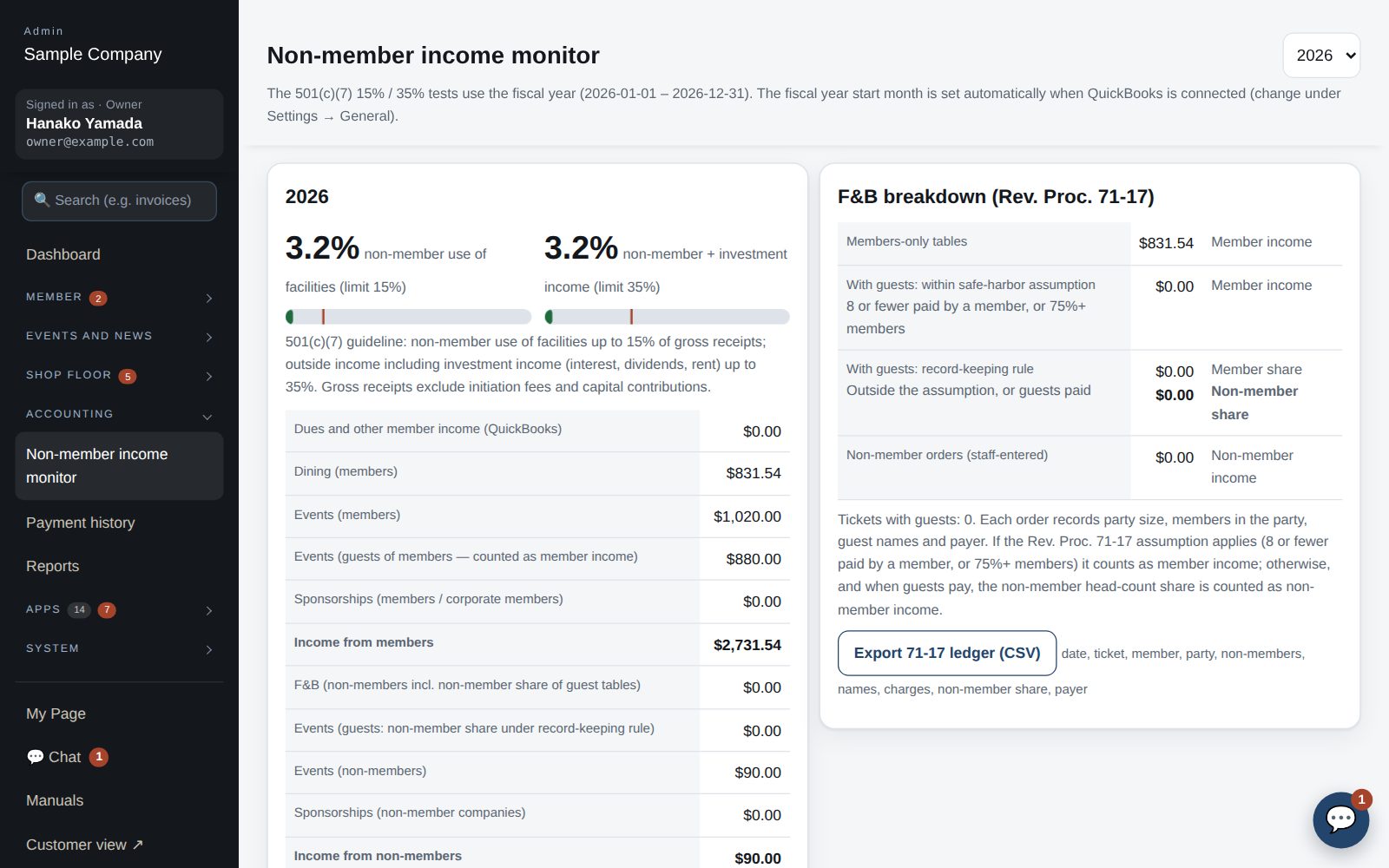
US social clubs under 501(c)(7) must keep income from non-members' use of the facilities within 15% of gross receipts, and all outside income, including investments, within 35%. Dining and events are split automatically from the app's records; dues come from QuickBooks.
What it does
Orders and events are split by member status; tickets with guests follow the Rev. Proc. 71-17 presumptions.
Map dues, investment and excluded accounts, then import.
The 15% and 35% gauges also appear on the dashboard.
Export the 71-17 ledger — date, ticket, party, names, amount, payer — as CSV.
How it flows
- 1Member / guestRecorded with every order
Party size, members, guest names and payer are captured.
- 2AutomaticSplit automatically
Dining and event income are split using the 71-17 presumptions.
- 3OfficeImport dues
From your QuickBooks profit and loss report.
- 4OfficeCheck the ratios
See the fiscal-year gauges and export the ledger for your accountant.
On phones & in the app
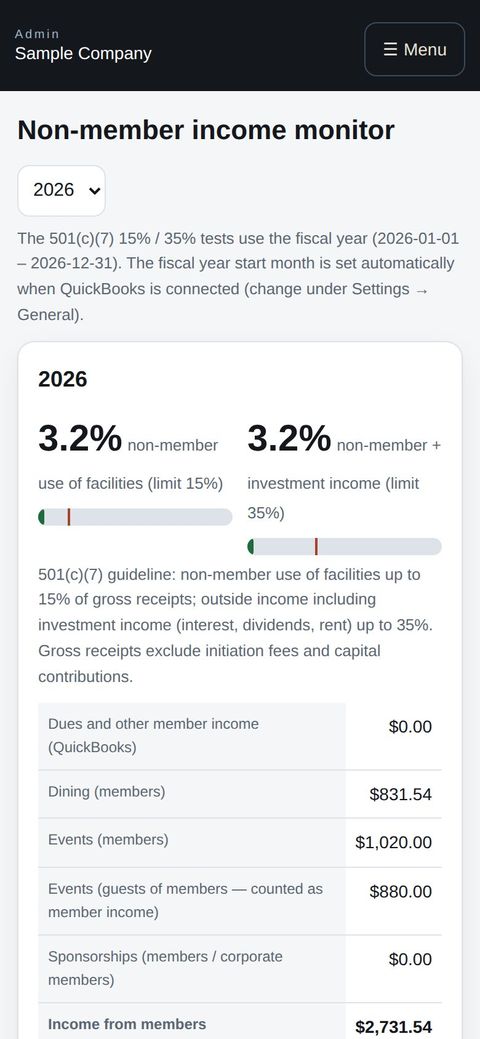
Check the non-member income share and the distance to the 15% and 35% limits in a phone browser, handy right before a board meeting.
- 🌐Phone browserNo install needed — Android too.
- 💻ComputerThe same data on a big screen.
See the screens
Admin (office)
Dues and the non-member income monitor (501(c)(7))
- A summary also appears on the dashboard, showing the 501(c)(7) 15% / 35% guidelines for the fiscal year.
- As a 501(c)(7), the club keeps income from non-member use of facilities within 15% of gross receipts, and outside income including investment income within 35%. Accounting → Non-member income monitor tracks this by fiscal year.
- Member income (dues) is imported from the QuickBooks Profit & Loss. Under Settings → QuickBooks, specify account names for member income, investment income (35% bucket) and excluded accounts (initiation fees), then press “Import dues income”.
- Dining and event income is split automatically from app records. Tickets with guests count as member income when the Rev. Proc. 71-17 assumption applies (8 or fewer, paid by a member, or 75%+ members); otherwise the guest share is non-member income.
- “Export the 71-17 ledger as CSV” produces the ledger for the accountant (date, ticket, member, party, non-members, names, amount, payer).
Member app & web
Order from your table
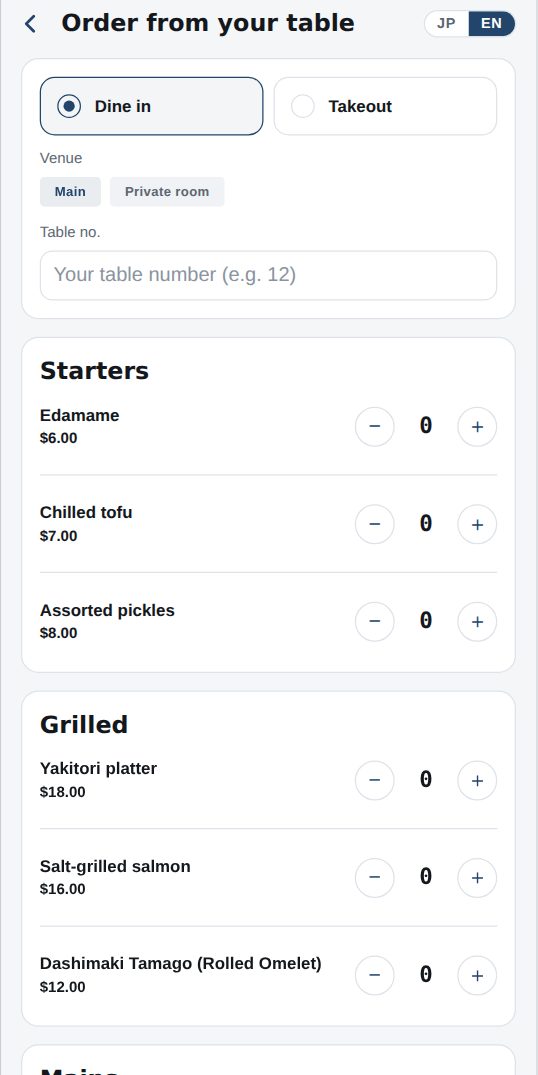
- Open Dining → Order from your table and choose dine-in or takeout. Dine-in needs your table number; takeout needs a pickup time.
- Add items with “+” from the menu. Tap an item name for photo, description and allergens.
- Enter party size, how many are members, guest names and who pays. The club needs this for its tax records.
- Tap “Send order”; it goes straight to the kitchen. The status (Received → Cooking → Ready) appears under Dining and on Home, and you get a notification.
- Payment is charged to your member account (monthly statement) or, where enabled, by card in the app.
Read the guide
For the 15% and 35% guidelines, how Rev. Proc. 71-17 treats members’ guests, and how nonmember income is taxed on Form 990-T, see 501(c)(7) Social Club Nonmember Income: The 15% and 35% Guidelines, Rev. Proc. 71-17 Records and Form 990-T.
Start with just the features you need. If nothing fits the way you work, we'll build it for you — free.
QuickBooks and ProConnect are trademarks of Intuit Inc., Stripe of Stripe, Inc. and Square of Block, Inc. This service is not provided or endorsed by these companies.