Finance reports
Management reports, plus today's finances and outlook from QuickBooks
For owners: read monthly management reports as PDFs and, with QuickBooks connected, chart today's balance sheet, cash trend, cash flow and a forecast based on your current pace and assumptions.
What it does
Pick a month — on your phone too.
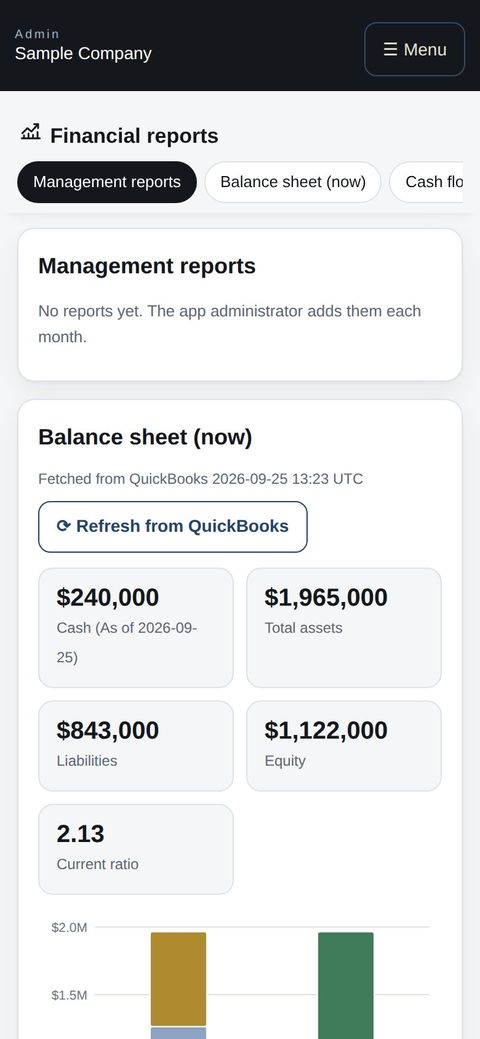
Assets vs liabilities and equity, with account detail.
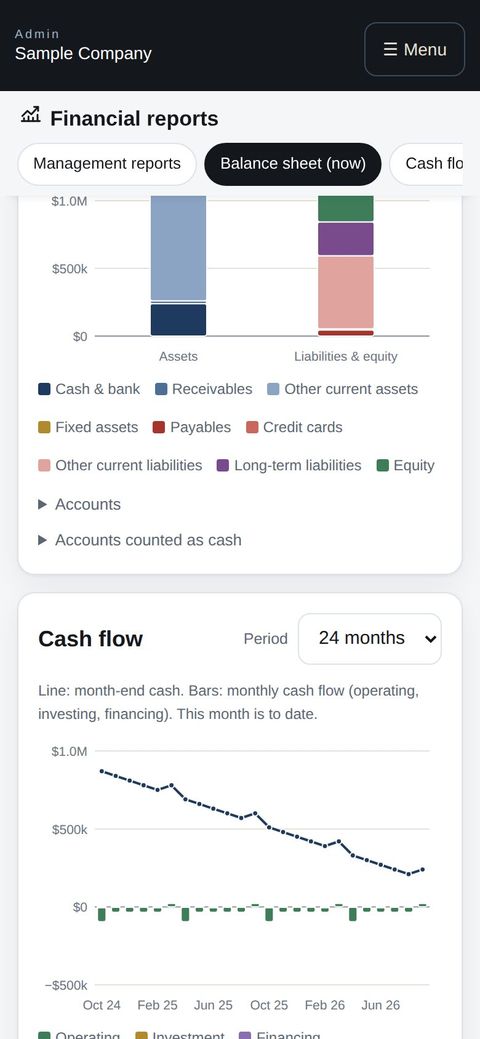
Recent averages plus monthly and one-off assumptions, with a warning when cash dips too low.
How it flows
- 1OwnerConnect QuickBooks
Once, from Settings.
- 2AutomaticRefreshed every 6 hours
Or refresh on demand.
- 3OwnerRead & plan
Add assumptions and check your cash runway.
On phones & in the app
The balance sheet, cash flow and management reports read well on a phone, and owners can open them from the work apps in the app.
- 📱CLT Members iPhone appOne app for members, staff and managers.
- 🌐Phone browserNo install needed — Android too.
- 💻ComputerThe same data on a big screen.
See the screens
Admin (office)
Read a report
- Choose a month at the top of Apps → Financial reports to open that month's report (PDF). On a phone, use “Open in a new tab” or “Download” if it does not show.
- The app administrator adds the reports.
Financial position
- When QuickBooks is connected, today's balance sheet (assets vs. liabilities and equity) is shown as bars, with the accounts listed below.
- Cash is the total of bank accounts. Tick accounts under “Accounts counted as cash” to include investments and the like.
- Data is refreshed every 6 hours; use “Refresh from QuickBooks” to fetch now.
Cash flow and outlook
- Past month-end cash (line) and monthly operating, investing and financing cash flow (bars), over 12, 24 or 36 months.
- The outlook draws “Current pace” from the recent average change (3, 6 or 12 months, or an amount you set) and overlays “With assumptions” (monthly changes and one-time items).
- Enter a minimum cash level to see the month it would be crossed.
Start with just the features you need. If nothing fits the way you work, we'll build it for you — free.
QuickBooks and ProConnect are trademarks of Intuit Inc., Stripe of Stripe, Inc. and Square of Block, Inc. This service is not provided or endorsed by these companies.