How-to assistant (AI)
Not sure how? Just ask in chat — the AI answers from your user guide
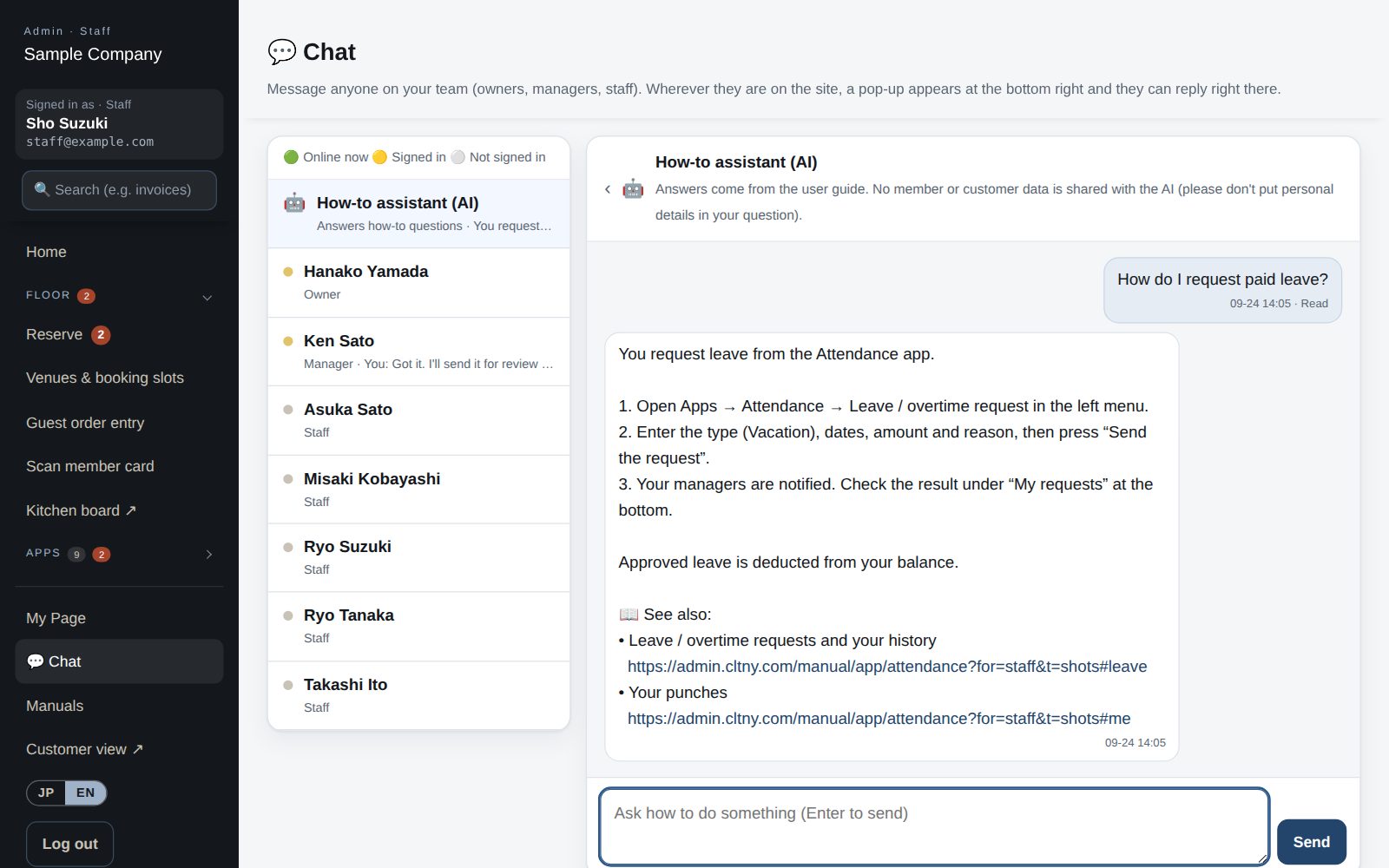
Ask the “🤖 How-to assistant (AI)” at the top of your chat list, in plain words: “How do I request paid leave?” It answers step by step from the user guide for the apps your company uses, limited to the screens the person asking can open, and links to the full section. If the guide doesn't cover it, it says so instead of guessing.
What it does
No need to know what the menu is called. Send “How do I …?” and get the steps back in seconds.
It draws only on the guide for the apps your company uses, and each answer ends with 📖 links to the full sections.
Owners, managers and staff each get answers limited to the screens they can open. For anything else, it tells them to ask an owner or manager.
Only the question and guide sections go to the AI — never member or customer records, sales or documents. It answers in Japanese or English.
How it flows
- 1StaffAsk 🤖
Open Chat, pick “How-to assistant (AI)” at the top of the list and send your question.
- 2AutomaticFind the right sections
It picks the sections of the guide that person can read that best match the question.
- 3AutomaticAnswer with steps
It replies with steps using the real screen and button names, plus 📖 links to the full sections.
- 4StaffGet it done
Open a section from the link and carry on. The conversation stays in Chat, so you can look back later.
On phones & in the app
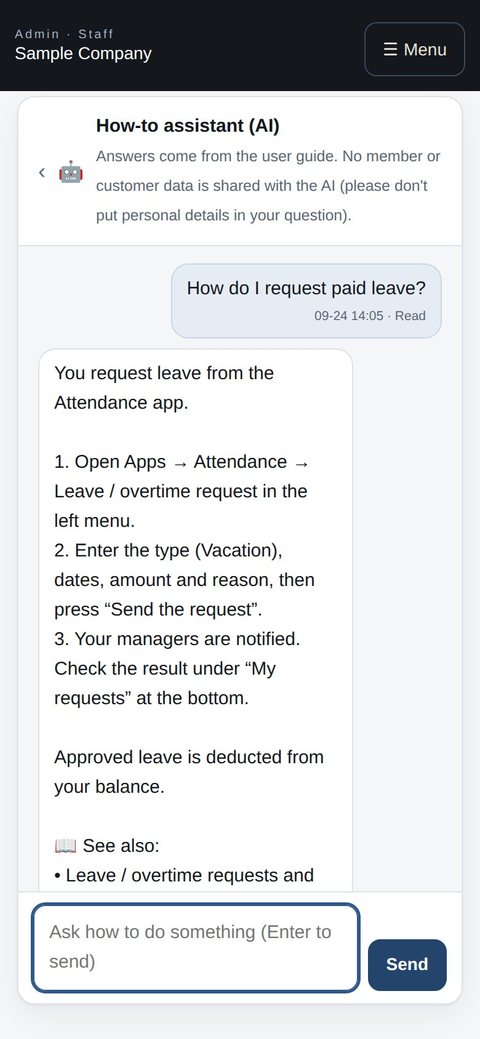
Ask from the same chat in a phone browser, right when you're stuck.
- 🌐Phone browserNo install needed — Android too.
- 💻ComputerThe same data on a big screen.
Start with just the features you need. If nothing fits the way you work, we'll build it for you — free.
QuickBooks and ProConnect are trademarks of Intuit Inc., Stripe of Stripe, Inc. and Square of Block, Inc. This service is not provided or endorsed by these companies.