News & push notifications
Get important news straight to members' phones
Post news in Japanese and English to the app's home screen, and send push notifications to members' lock screens. Booking confirmations and event reminders go out automatically too.
What it does
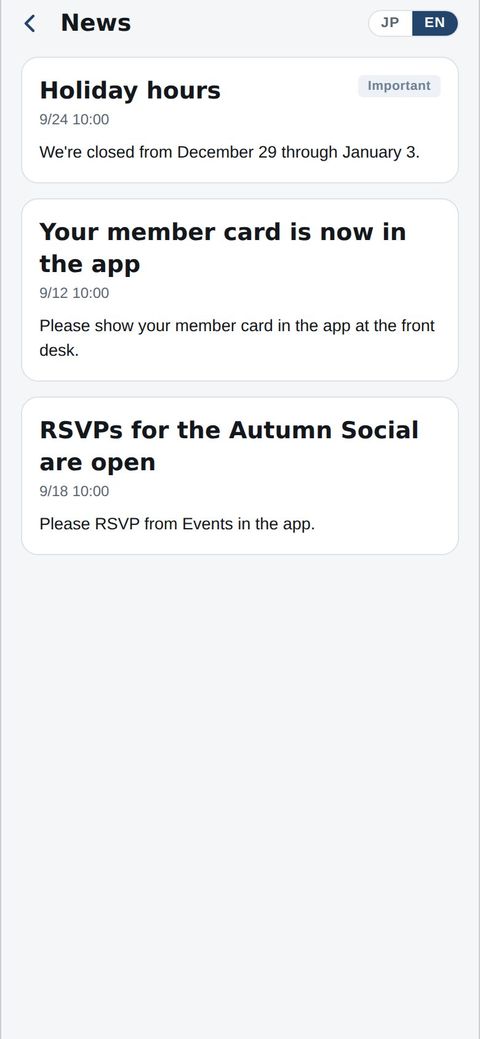
Shown in each member's language; pin important posts to the top.
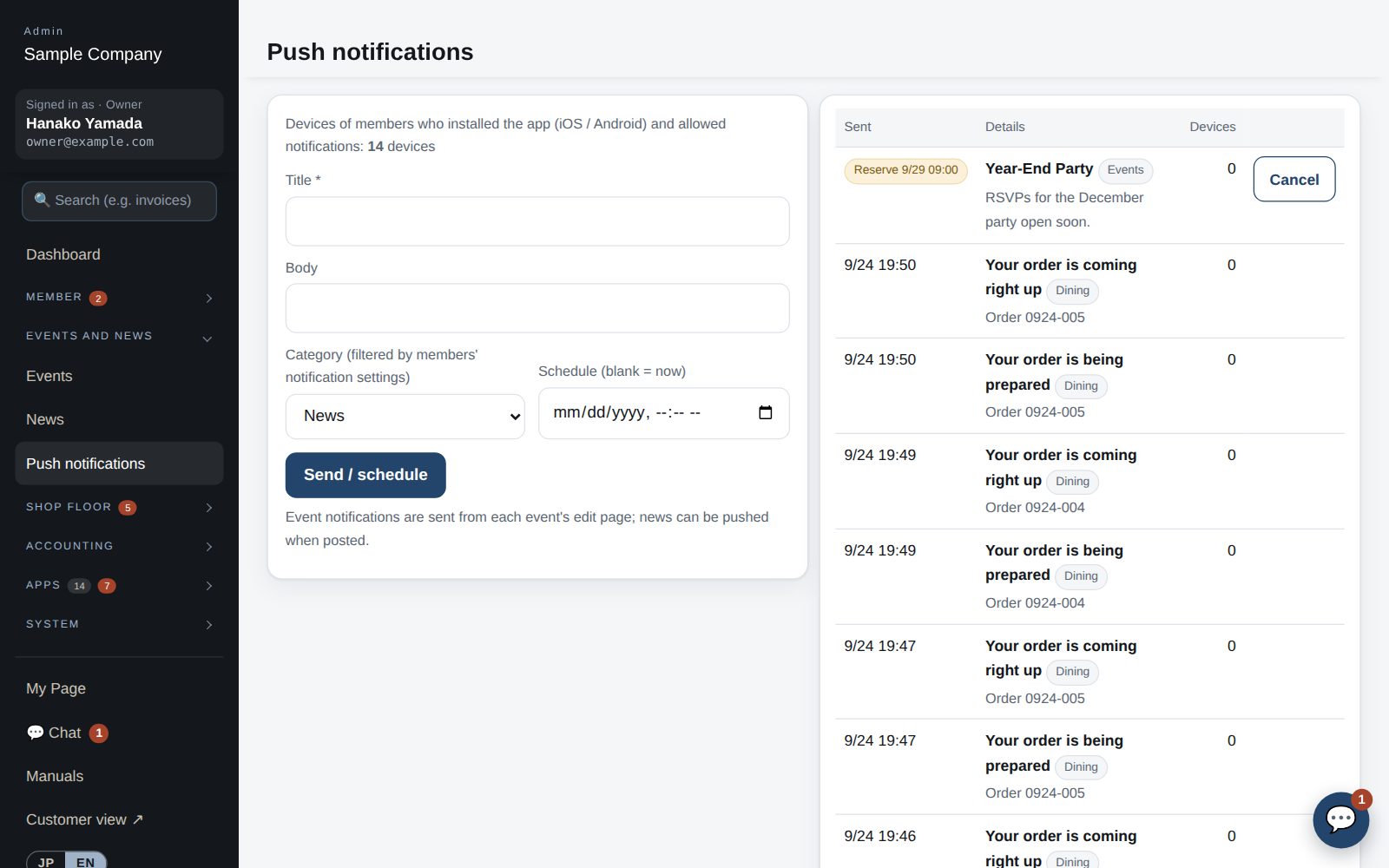
Send now or schedule, with a device count before you send.
News, events, dining and reminders — members choose what they receive.
Booking confirmations and reminders, RSVP deadlines, and orders that are ready.
How it flows
- 1OfficeWrite a post
Title and body, with an English field.
- 2OfficeAdd a push
Tick Send push too and confirm.
- 3AutomaticDelivered
To the lock screens of members who allow notifications.
- 4Member / guestRead in the app
News, events, bookings and orders are all on the home screen.
On phones & in the app
News appears in the app, and important items arrive as push notifications. The office can write and send them from a phone too.
- 📱CLT Members iPhone appOne app for members, staff and managers.
- 🌐Phone browserNo install needed — Android too.
- 💻ComputerThe same data on a big screen.
See the screens
Admin (office)
News and push notifications
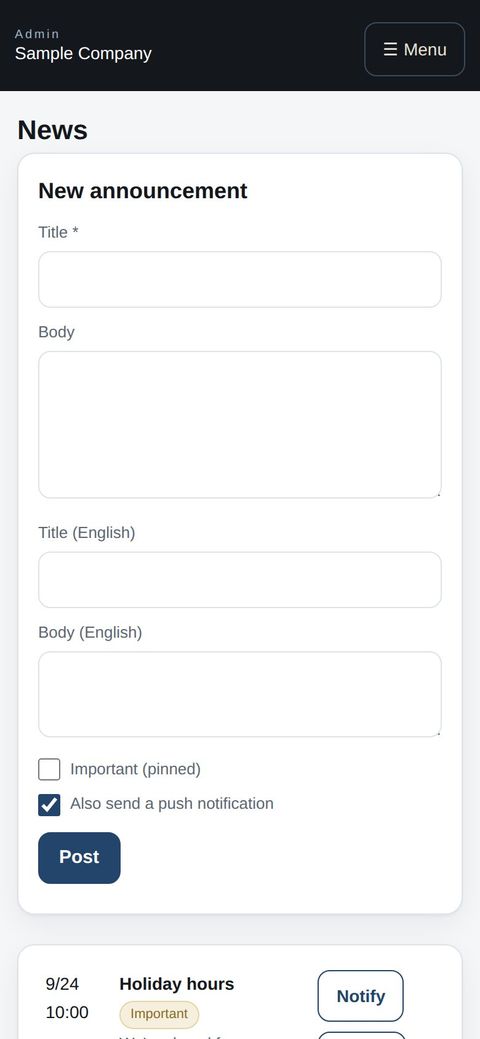
- News: post a title and body (with English fields). “Pinned” keeps it at the top of Home. “Also send a push notification” is ticked by default (you confirm before it is sent).
- Push notifications reach the lock screen of members who installed the member app and allowed notifications (not email; members using only the web do not get them). Under Events & News → Push notifications, enter a title, body and type (News / Events / Dining / Reminders), then send now or schedule (scheduled pushes can be cancelled). You see how many devices it will reach before sending.
- It goes to everyone who receives that type (you cannot pick individual members). Members choose which types to receive on My Page in the app. The number of devices receiving push is shown on the dashboard and on this screen.
- Sent automatically: when a reservation is confirmed and the day before it, when an event deadline is near and the day before the event, when an order is ready, and when you choose to notify with a news post or event.
Member app & web
Home
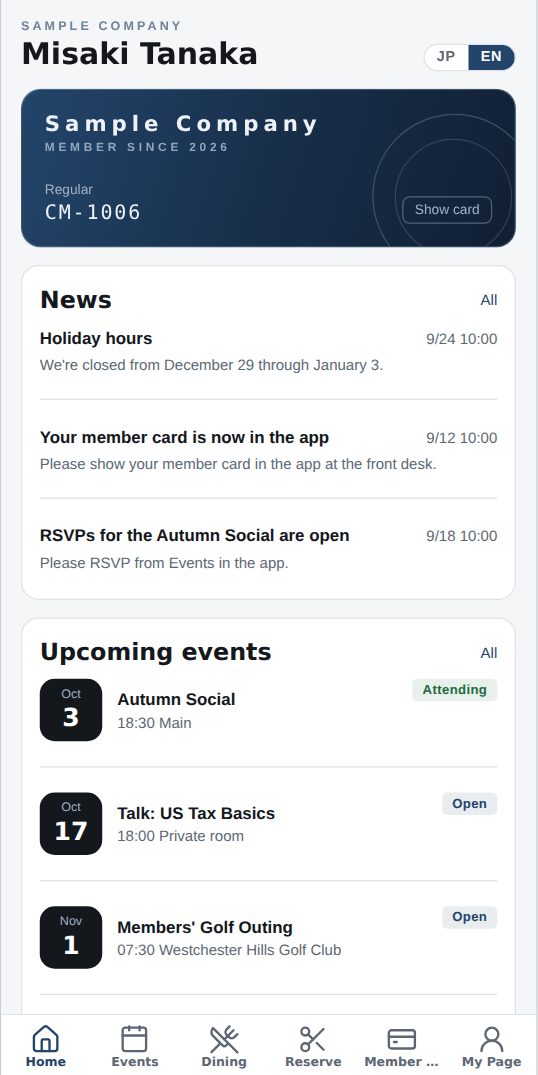
- Home gathers club news, upcoming events, your restaurant reservations and orders in progress. Tap “All” on a card to open the full list.
- Use the bottom tabs (Home / Events / Dining / Member Card / My Page) to move around.
Start with just the features you need. If nothing fits the way you work, we'll build it for you — free.
QuickBooks and ProConnect are trademarks of Intuit Inc., Stripe of Stripe, Inc. and Square of Block, Inc. This service is not provided or endorsed by these companies.