Tip pooling
Split each shift's tips by hours and points
Enter each shift's card, cash and bar tips with everyone's hours and points to see each person's share. Toast card tips and punches import automatically, and weekly totals export as CSV for payroll.
What it does
Lunch or dinner per venue, with 15-minute punches.
Default points per person, adjustable per shift.
Card, cash and bar totals per person as CSV.
How it flows
- 1OfficeOpen the shift
Choose date, shift and venue.
- 2OfficeTips & hours
Import from Toast or type them in.
- 3AutomaticShares calculated
Split by hours × points.
- 4OfficeWeekly close
Export the week for payroll.
On phones & in the app
Enter shift tips and check the weekly summary on a phone, or open them from the work apps in the app.
- 📱CLT Members iPhone appOne app for members, staff and managers.
- 🌐Phone browserNo install needed — Android too.
- 💻ComputerThe same data on a big screen.
See the screens
Admin (office)
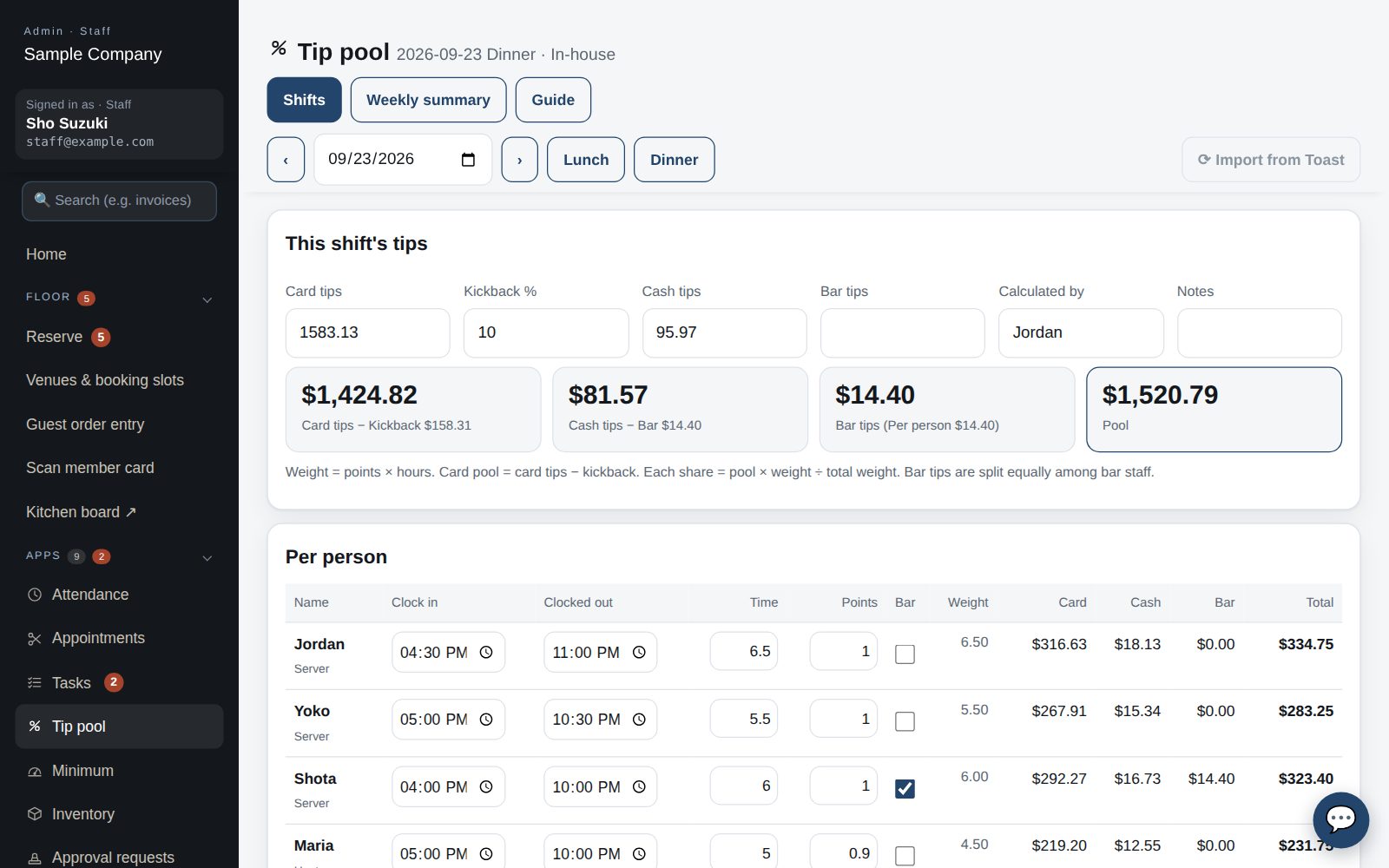
Split a shift's tips
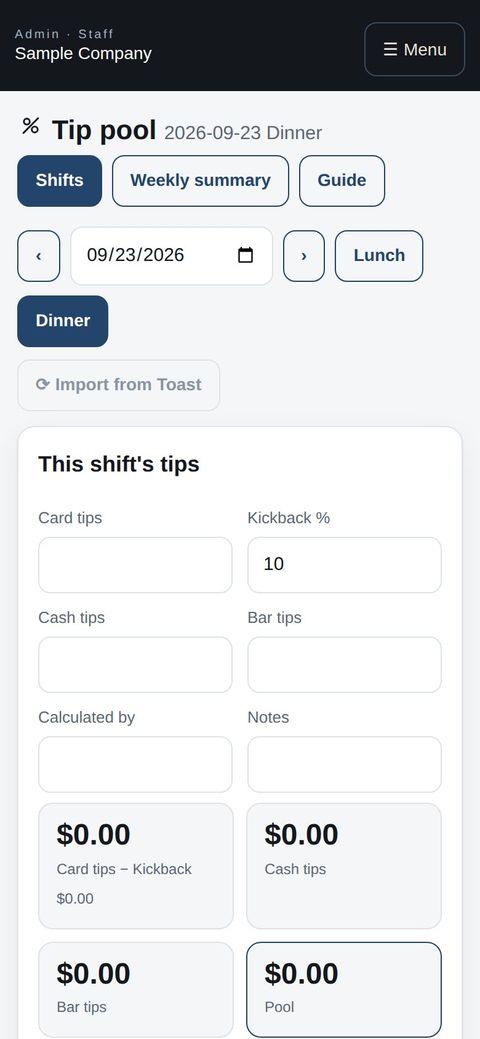
- Under Apps → Tip pool pick the date, shift (lunch / dinner) and venue. Enter card, cash and bar tips, then each person's in / out times (15-minute steps) and points; save, and each share appears on the right.
- With Toast connected, “Import from Toast” fills card tips and clock-ins. Points default to each person's setting; change them for the day if needed.
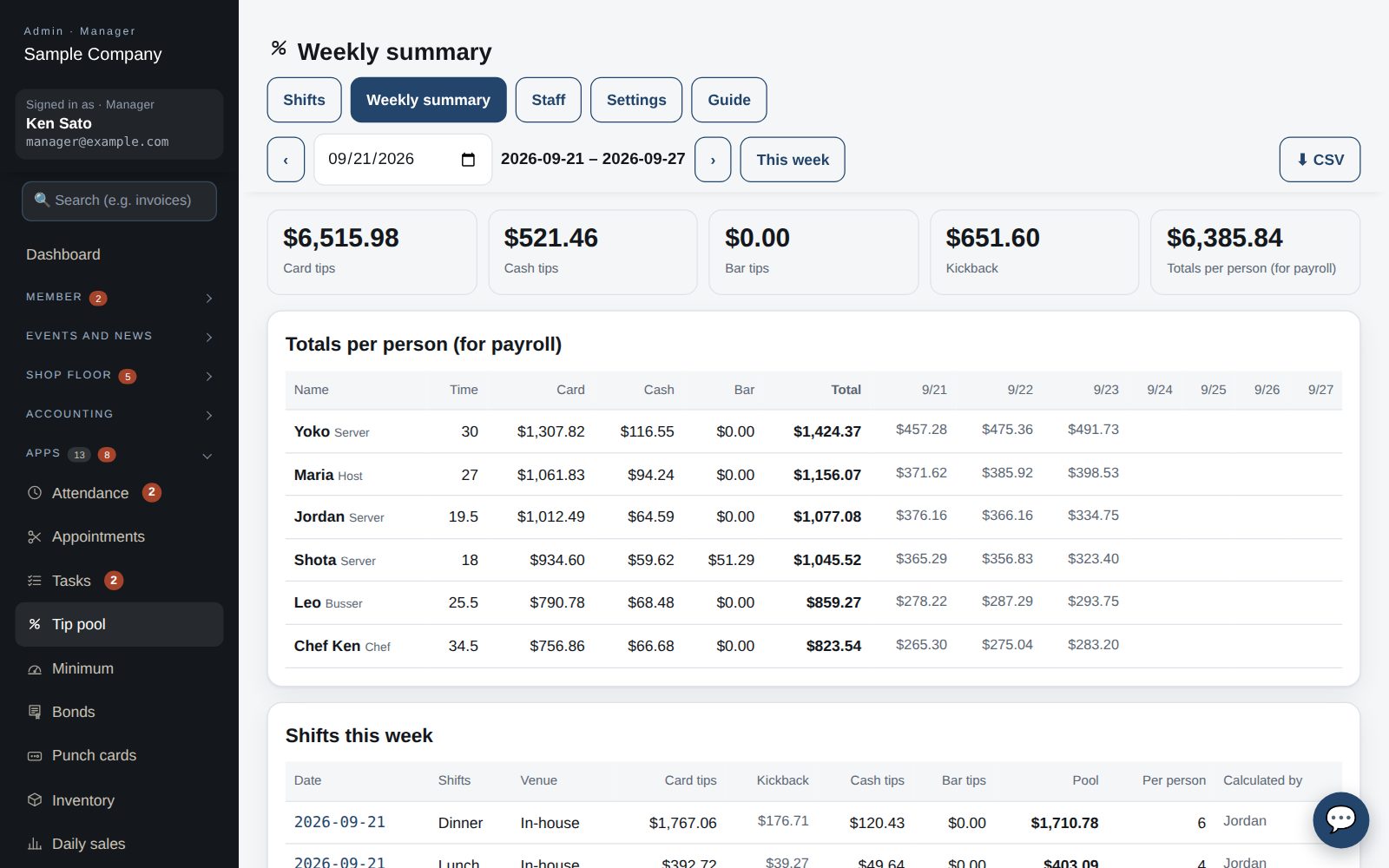
Weekly summary
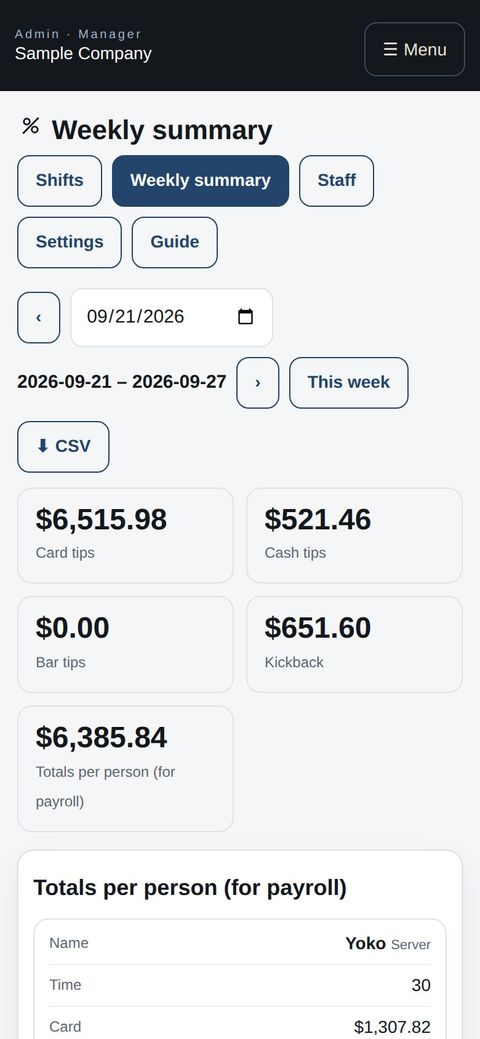
- “Weekly summary” shows each shift's amounts and the totals per person (card, cash, bar). Download the CSV for payroll.
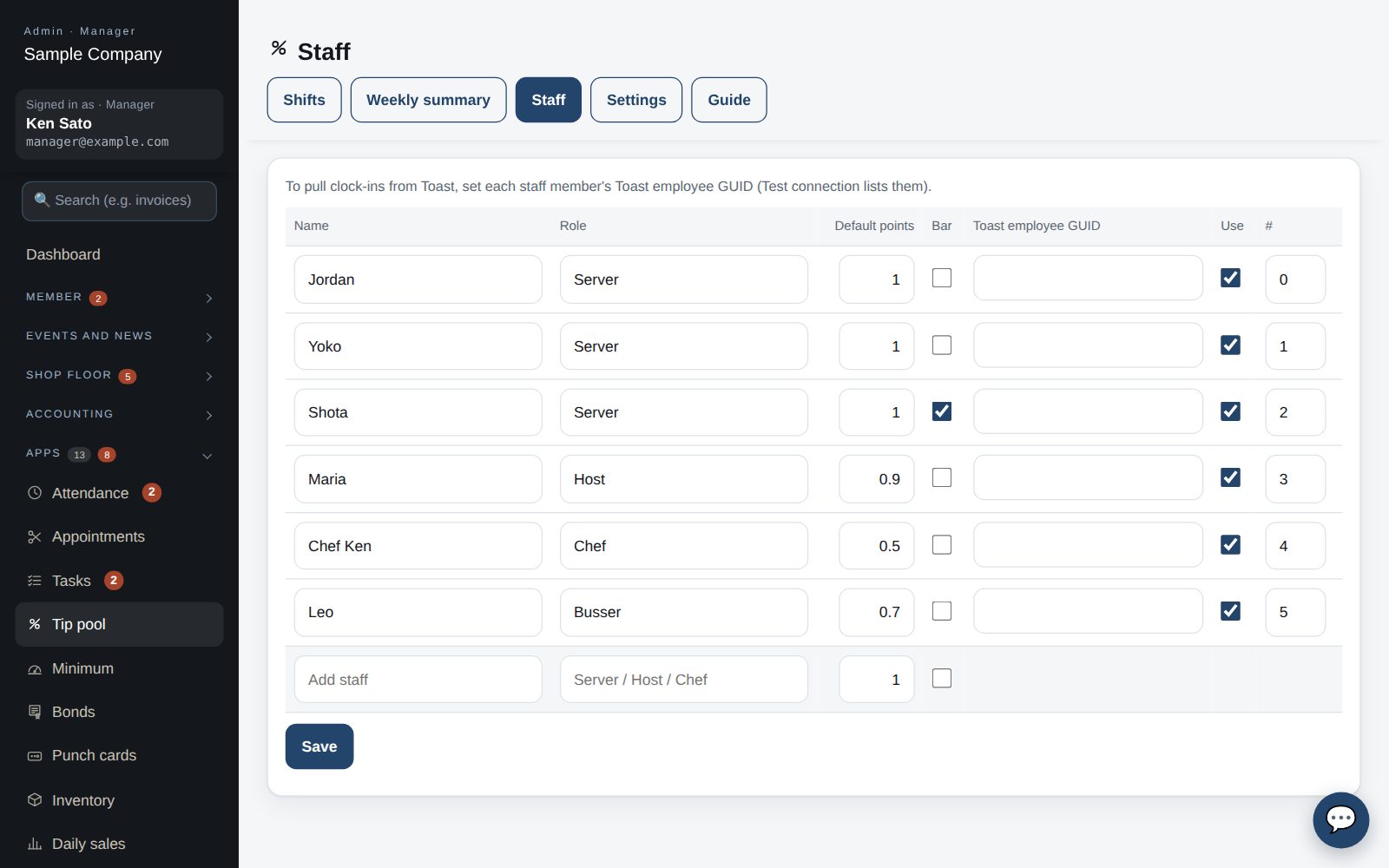
Staff and points
- Under “Staff” register names, roles, default points (1.0 / 0.9 / 0.5 …) and whether they take bar tips. Set the Toast employee GUID to link clock-ins automatically.
Start with just the features you need. If nothing fits the way you work, we'll build it for you — free.
QuickBooks and ProConnect are trademarks of Intuit Inc., Stripe of Stripe, Inc. and Square of Block, Inc. This service is not provided or endorsed by these companies.