Guest passes
Members invite friends with a pass from the app
Members issue guest passes from My Page and they're emailed to the guest. At the door, staff simply scan the pass. Limits and validity are built in.
Who uses it:StaffMembers & guests
What it does
Issued by members
Just the guest's name and email.
Built-in limits
Up to 12 a year, each valid for 30 days.
Scan at the door
With the same scanner as member cards.
How it flows
- 1Member / guestIssue a pass
My Page → Guest passes.
- 2AutomaticEmailed to the guest
The pass arrives by email.
- 3StaffScan at the door
Staff scan it on arrival.
On phones & in the app
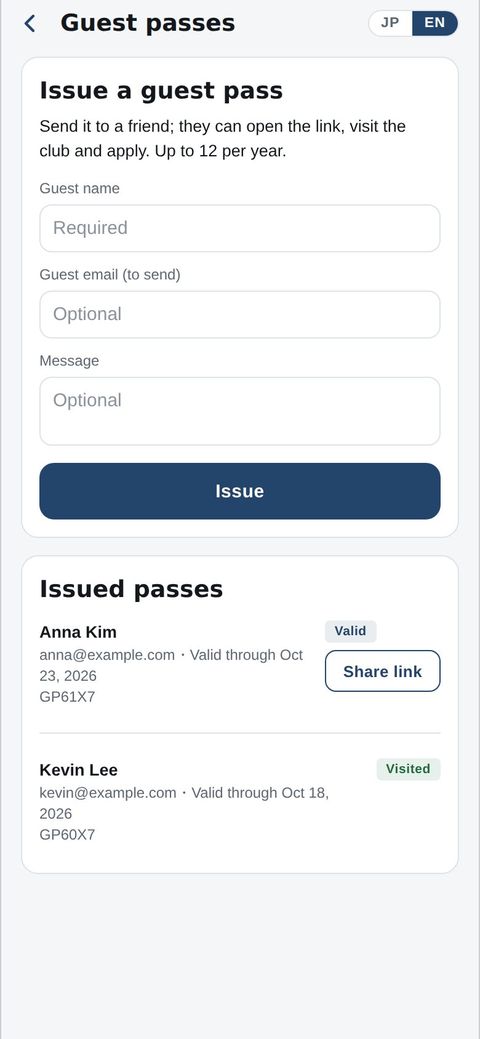
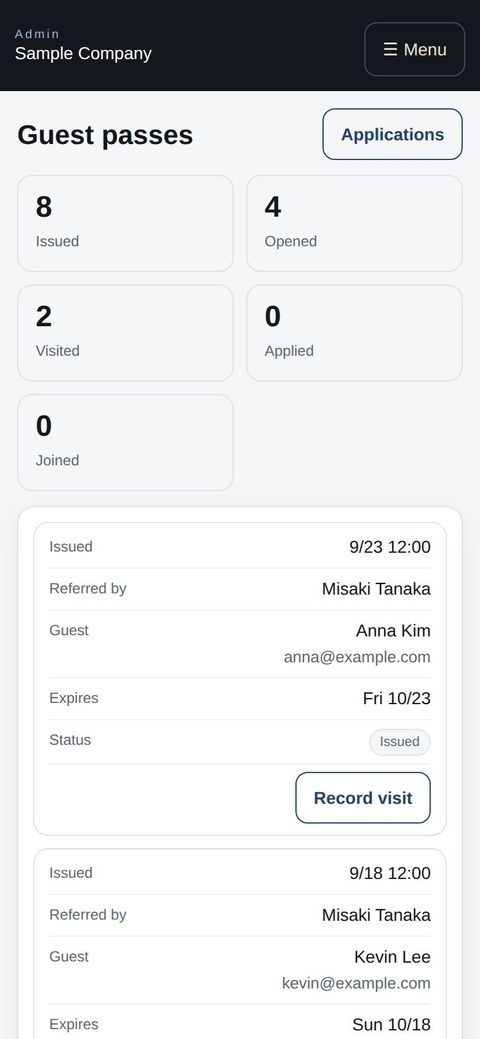
Members issue a guest pass in the app and send the link. The office tracks issued, opened and visited passes on a phone and records each visit.
- 📱CLT Members iPhone appOne app for members, staff and managers.
- 🌐Phone browserNo install needed — Android too.
- 💻ComputerThe same data on a big screen.
See the screens
Staff screens
Scanning member cards and event tickets
- App: My Page → Staff → “Scan QR”. The first time, allow camera access.
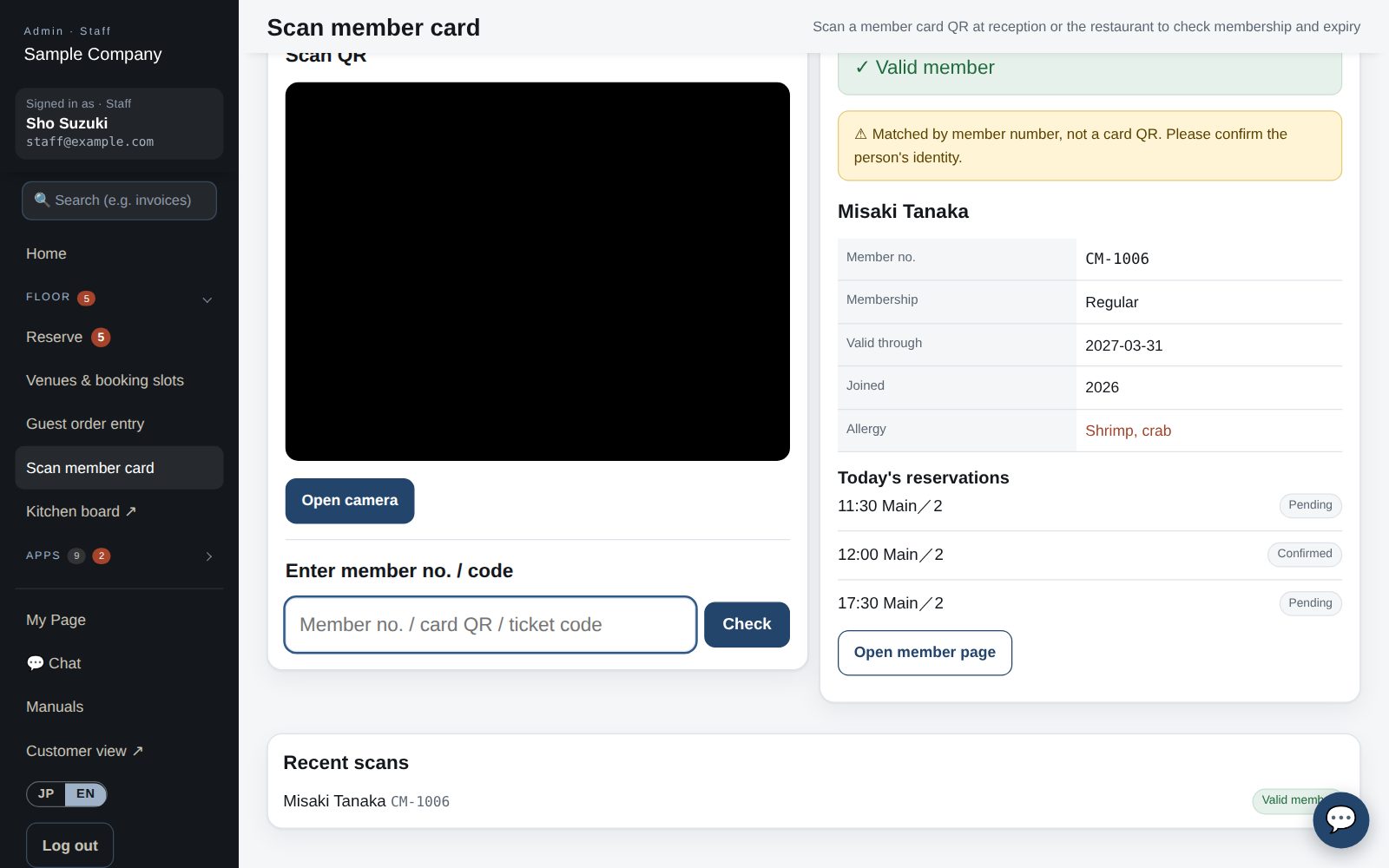
- In “Member card” mode, hold the card’s QR in the frame: name, number, category, expiry plus today’s RSVPs and reservations appear. Valid = green; expired or withdrawn = red.
- For event check-in, select today’s event in the mode row first. Scanning the ticket or member card marks the guest as checked in; scanning twice does not double count.
- If the QR will not scan, type the member number or ticket code in the field below and tap “Check”. The card QR includes the organization, so a card from another organization shows “belongs to another organization” and is not accepted. A QR containing only a number is not accepted either; type the number instead.
- Browser: Office site → Scan member card (/admin/scan). Event check-in is also under Events → “Check-in”.
Member app & web
Guest passes
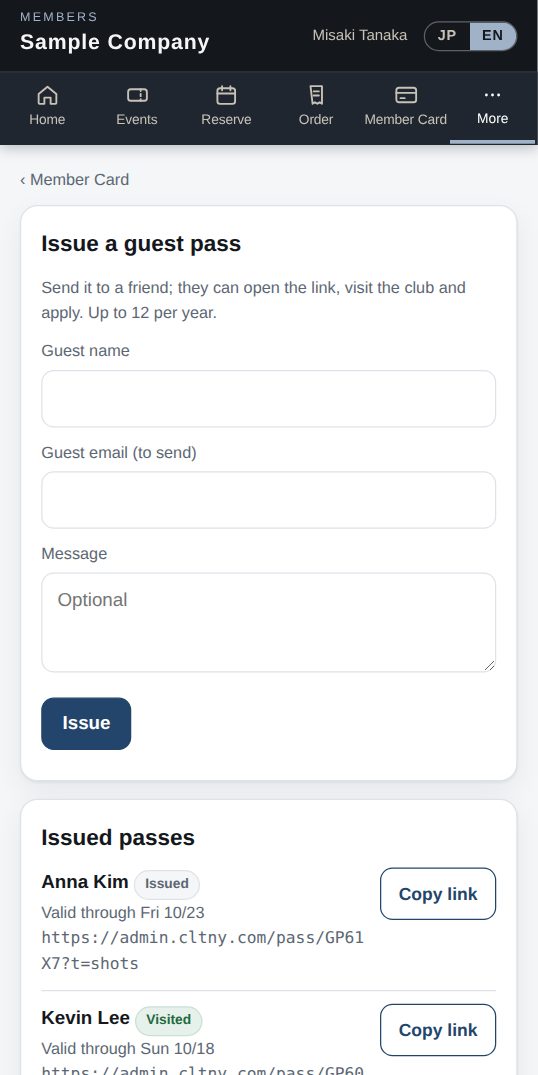
- My Page → Guest passes lets you issue a pass for a friend (up to 12 per year). Enter their name and email; the pass is emailed to them.
- A pass is valid for 30 days. Your guest shows it at reception.
Start with just the features you need. If nothing fits the way you work, we'll build it for you — free.
QuickBooks and ProConnect are trademarks of Intuit Inc., Stripe of Stripe, Inc. and Square of Block, Inc. This service is not provided or endorsed by these companies.