Punch cards
Issue 10-visit passes and punch one per visit
Issue punch cards such as 10-visit passes and punch one at each visit. Members see remaining visits and expiry in the app.
Who uses it:StaffMembers & guests
What it does
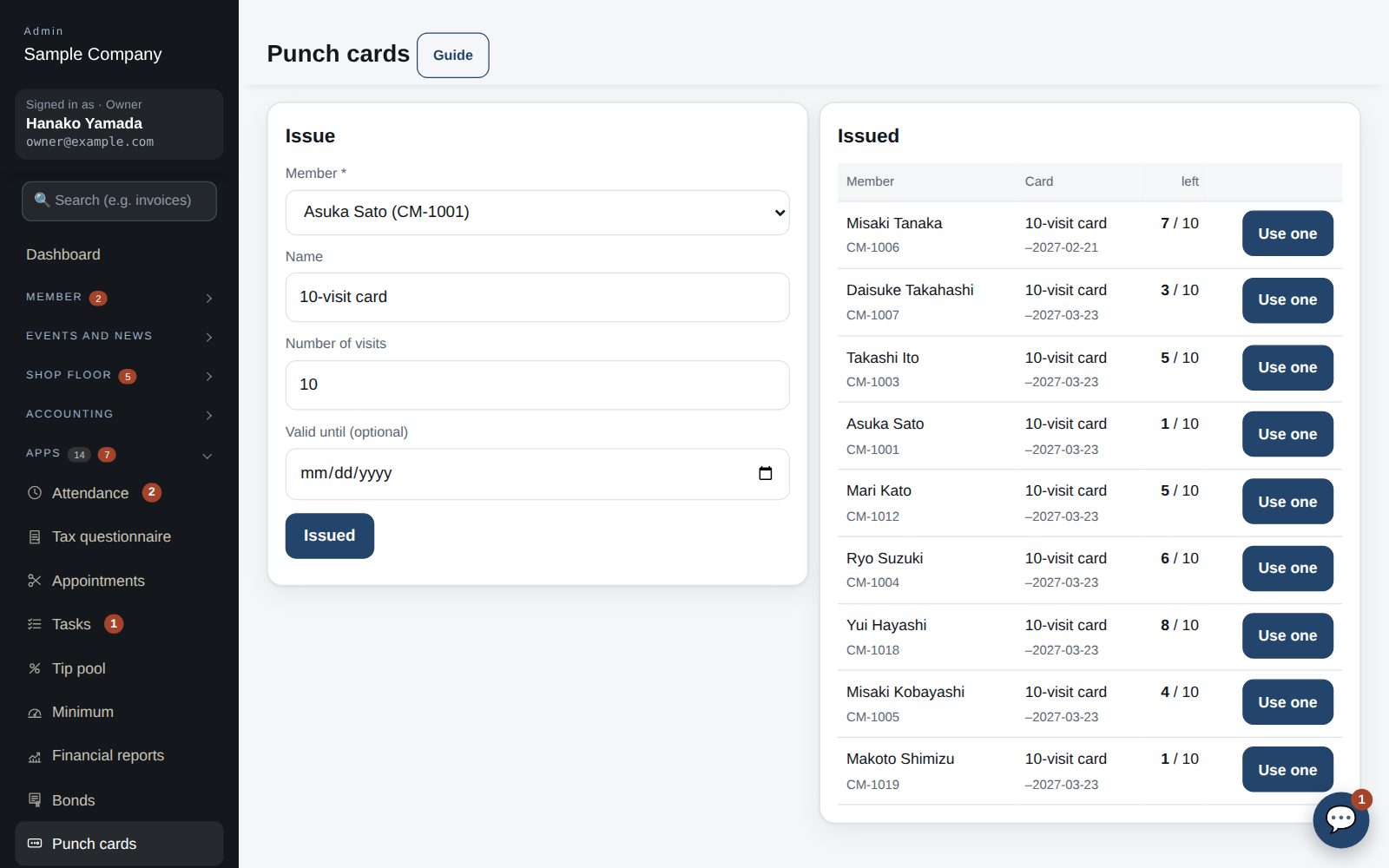
Issue
Name, number of visits and optional expiry.
Punch
Every punch is logged with who and when.
Remaining in the app
Members check what's left and when it expires.
How it flows
- 1OfficeIssue a card
Choose the member.
- 2StaffPunch each visit
Tap Punch once.
- 3Member / guestCheck what's left
In the app under Punch cards.
On phones & in the app
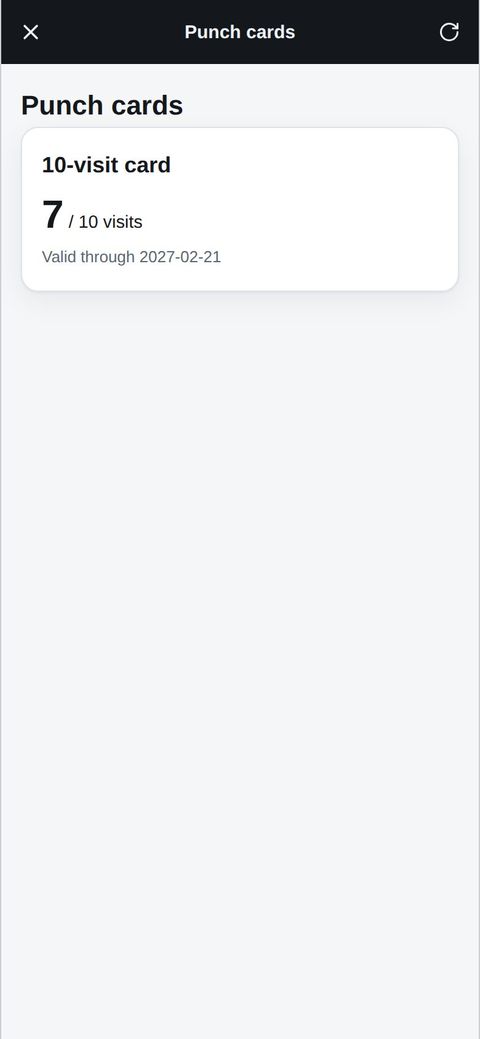
Members check remaining visits and the expiry date in the app. Staff issue cards and use a visit each time, all from a phone.
- 📱CLT Members iPhone appOne app for members, staff and managers.
- 🌐Phone browserNo install needed — Android too.
- 💻ComputerThe same data on a big screen.
See the screens
Admin (office)
Issue, then use one visit per visit
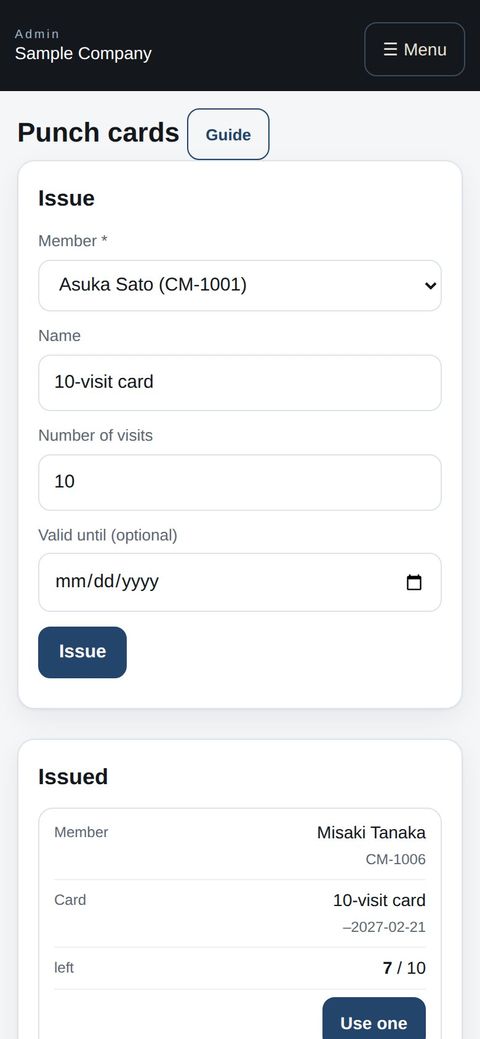
- Open Admin → Apps → Punch cards. Choose the member, enter the card name (e.g. 10-visit card), number of visits and an optional expiry, then “Issue”.
- At each visit press “Use one” on that member's card. When it reaches 0 it shows “All used” and moves to the bottom of the list.
- Each use is recorded with who pressed it. If you press by mistake, issue a new card to adjust.
Member app & web
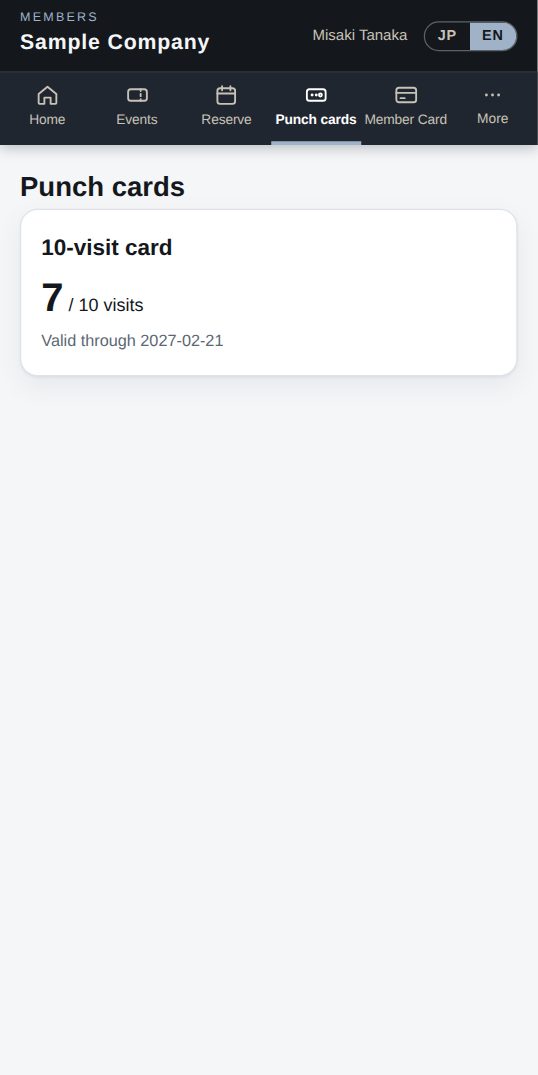
Your punch cards
- Open “Punch cards” in the menu to see your cards, visits left and expiry.
- At the front desk give your name (or show your member card); the staff will use one visit.
Start with just the features you need. If nothing fits the way you work, we'll build it for you — free.
QuickBooks and ProConnect are trademarks of Intuit Inc., Stripe of Stripe, Inc. and Square of Block, Inc. This service is not provided or endorsed by these companies.